Pull the colours out of any photo.
Saw a colour you love? Save the photo to Fleeep and its colours come with it. Turn them into a palette, copy the hex codes and check how they read together.
Free. Works on your phone and your computer.
A palette from any picture.
Every photo you save shows the colours in it. Tap one to copy its code, or turn them all into a palette you can name, edit and keep.
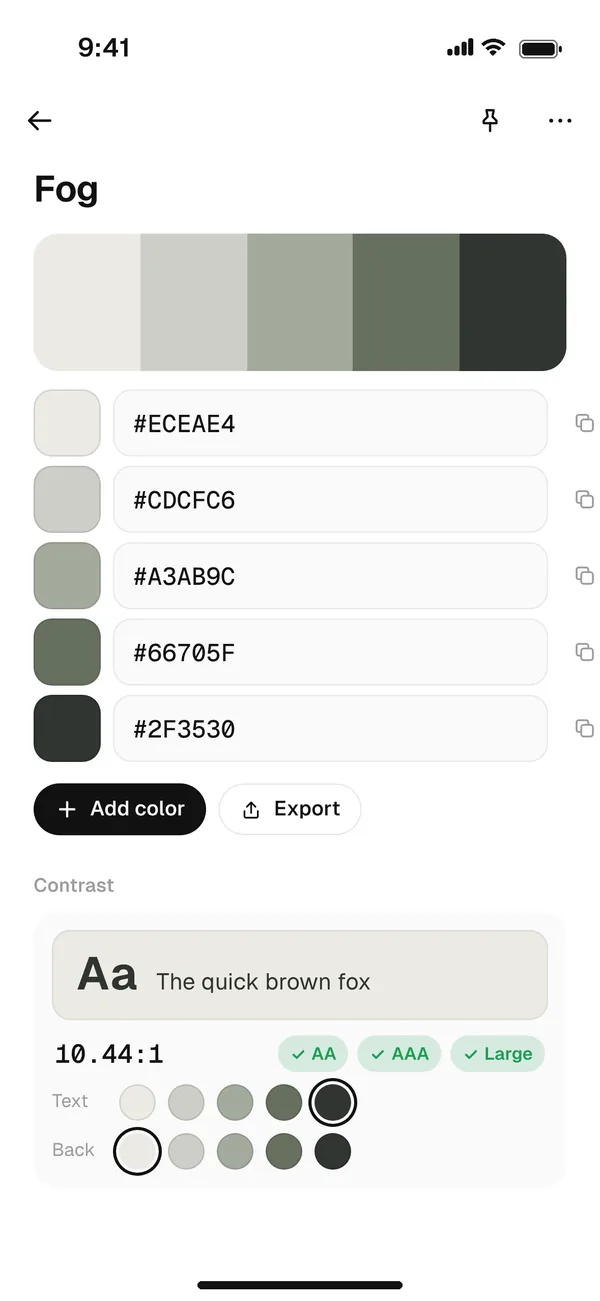
Check the contrast.
Pair any two colours and Fleeep shows the contrast ratio, with a clear pass or fail for AA, AAA and large text. Handy before a colour goes anywhere near body copy.
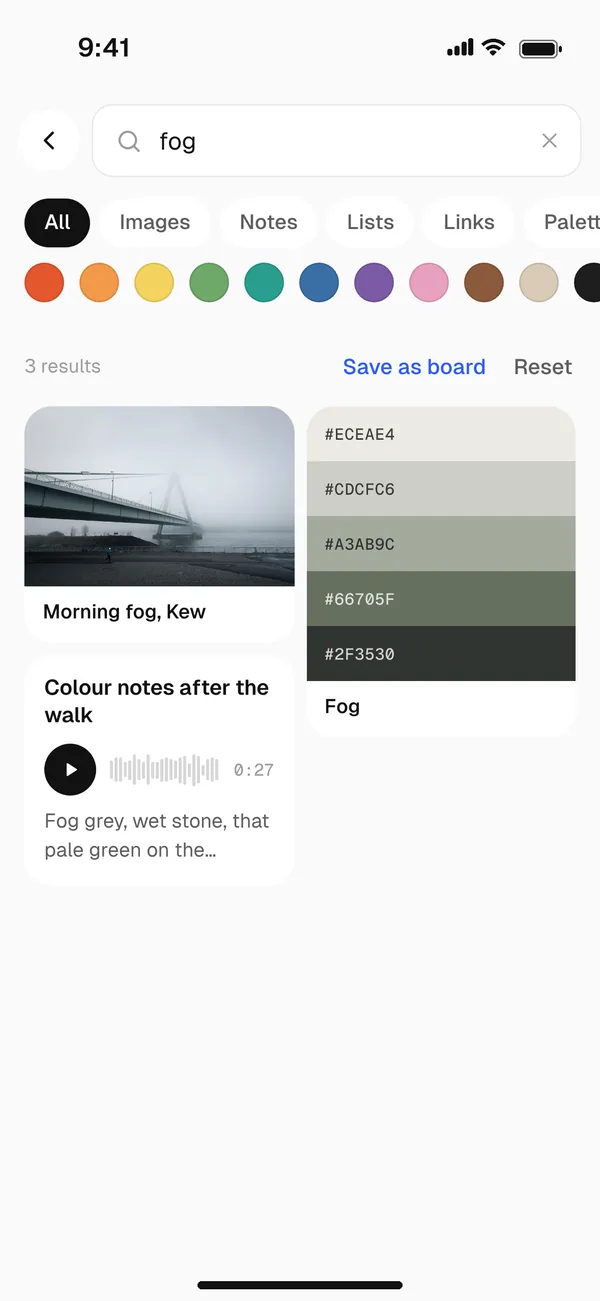
Search by colour.
Filter your whole library by colour and find every photo, sketch and palette with that blue in it. For when you remember the mood, not the name.
More ways to work with colour.
Paste your own codes
Already have a palette? Paste the hex codes and Fleeep makes it a palette.
Keep them with the work
Put palettes on the same board as the references they came from.
Share them
Share a palette on a board, or save the whole board as a moodboard.
Questions
How do I get a color palette from an image?
Save the image to Fleeep and open it. Its colours show underneath, and you can tap Palette to turn them into a palette of their own. Tap any colour to copy its hex code.
Which colour codes can I copy?
Hex codes, like #6FA3E0, which work in Figma, CSS, Canva and almost every design tool.
Can I check colour contrast?
Yes. Fleeep shows the contrast ratio between two colours and whether it passes AA, AAA or large text.
Is Fleeep free?
Yes. Fleeep is free to use. There are no ads, and we never sell your data.
Never lose a good colour again.
Free. Works on your phone and your computer.