A notes app for more than words.
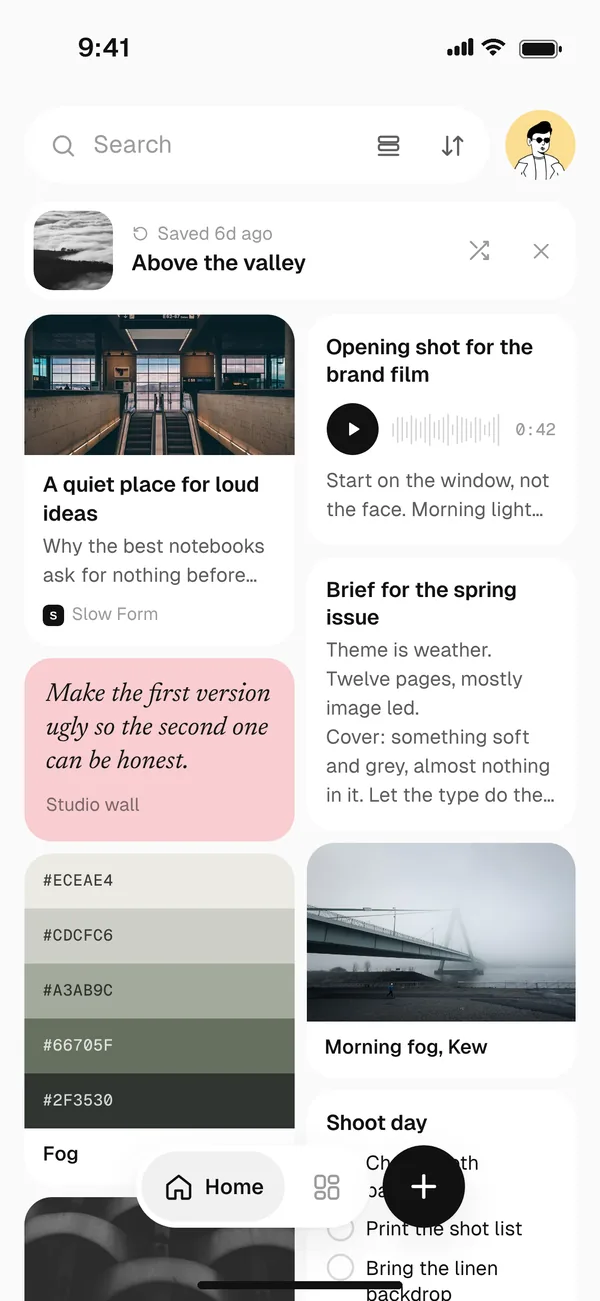
Most notes apps are built for typing. Fleeep is a free notes app for everything else too: photos, links, voice notes, sketches, colour palettes and quotes, all in one place and all easy to find.
Free. Works on your phone and your computer.
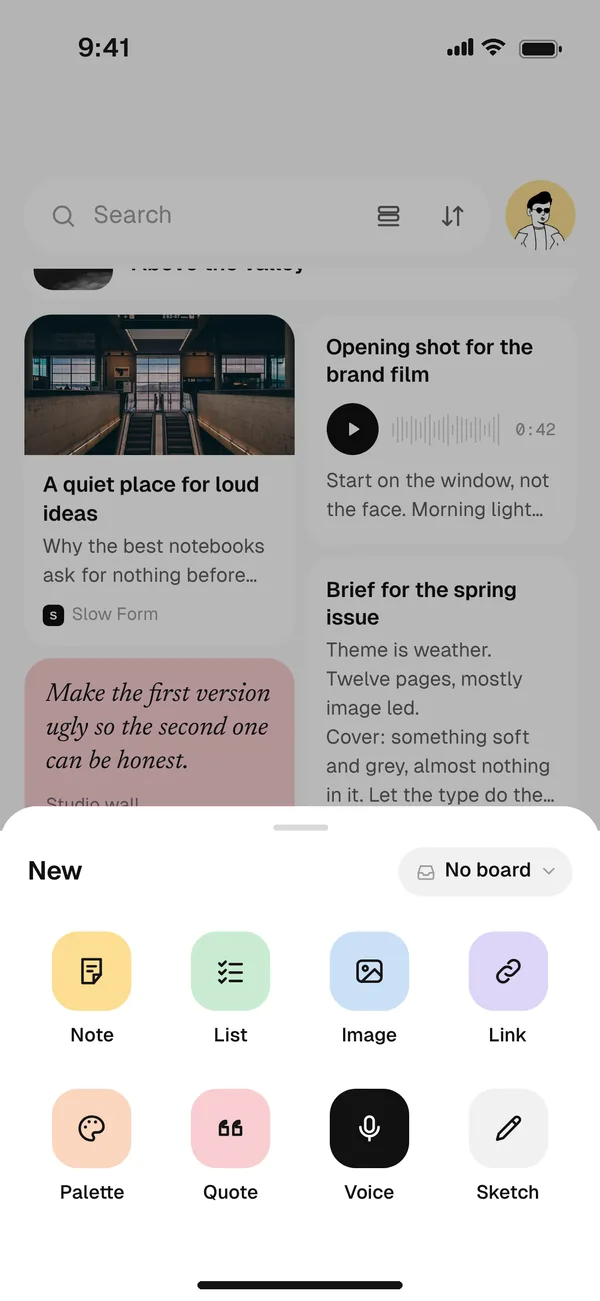
Eight kinds of note, one plus button.
Tap the plus and pick what you’re saving: a note, a checklist, a photo, a link, a palette, a quote, a voice note or a sketch. It lands in your library straight away. Sort it into a board later, or never.
Notes that feel like paper.
Write on plain, lined, dotted or grid pages. Pick a font, from a clean sans to handwriting, give a note a background colour and drop pictures in between paragraphs.
Every note keeps its version history, so an older draft is never really gone.
Find anything, even what you said.
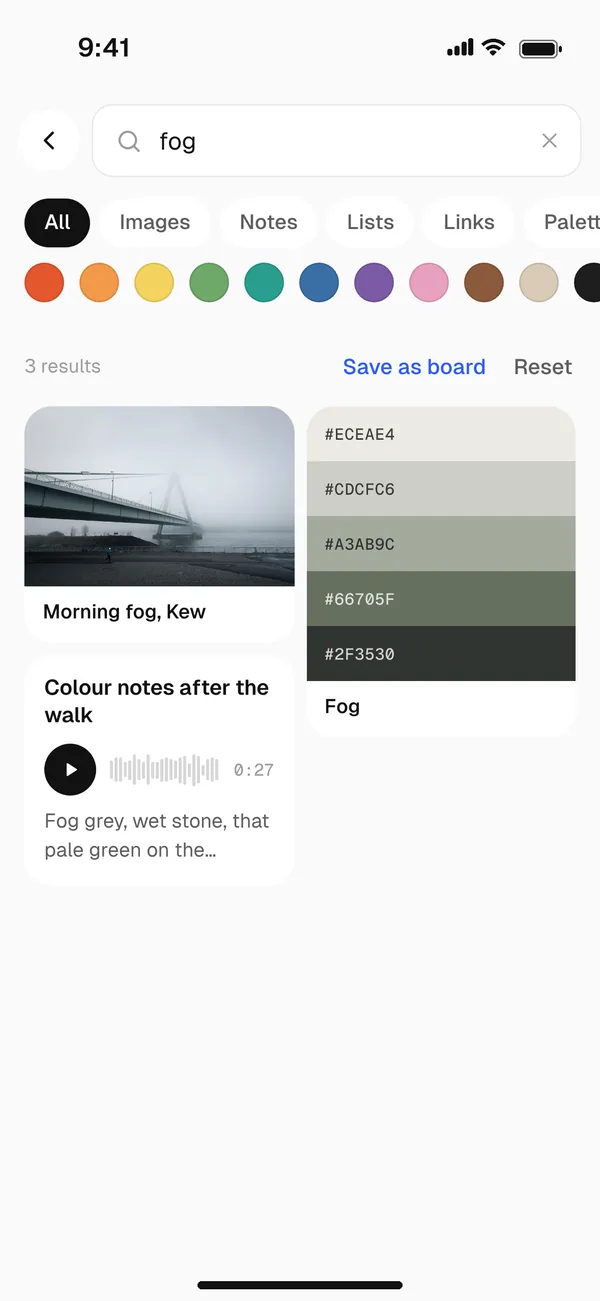
Search reads your notes, the words inside your photos and everything you said in a voice note. It understands meaning too, so searching for “sea” can turn up the photo you called “Brighton in August”.
Or filter by colour, when all you remember is the mood.
Everything else a notes app should do.
Works offline
Write and save without a signal. Everything syncs when you’re back.
Phone and computer
Use it in your browser, or install it like an app on iPhone, Android, Mac and Windows.
Lock what’s private
Put a passcode on the notes you want kept to yourself.
Reminders
Ask Fleeep to bring a note back at the right time.
Share a note as a picture
Send a note as an image or a PDF, with its background, page style and font.
Your data, your copy
No ads, nothing sold, never used to train AI. Export a full backup whenever you like.
Questions
Is Fleeep free?
Yes. Fleeep is free to use. There are no ads, and we never sell your data.
Does Fleeep work on iPhone and Android?
Yes. Fleeep runs in your browser, so there is nothing to download from an app store. On iPhone, open fleeep.app in Safari, tap Share and choose Add to Home Screen. On Android and on computers, tap Install. It then opens like any other app.
Can I use Fleeep offline?
Yes. You can write, save and search without a connection. Everything syncs to your other devices the next time you’re online.
Can I lock a note?
Yes. Lock any note with a passcode and it stays hidden until you unlock it. Locked notes are never included when you share a board.
Every idea deserves somewhere to live.
Free. Works on your phone and your computer.