Made for the way designers collect.
References, screenshots, colours, client notes and half-ideas. Fleeep keeps a designer’s whole messy library in one place, and makes it easy to find again.
Free. Works on your phone and your computer.
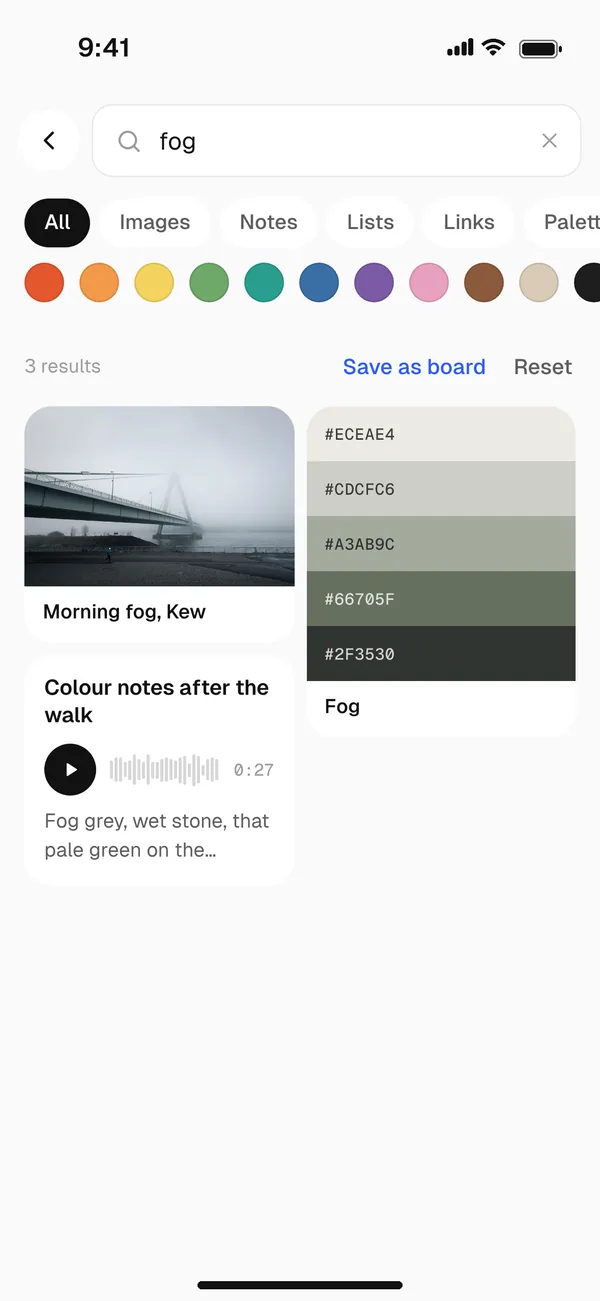
Screenshots you can actually find.
Fleeep reads the words inside your screenshots, so that onboarding flow you saved three months ago turns up when you search for “sign up”. Or filter by colour.
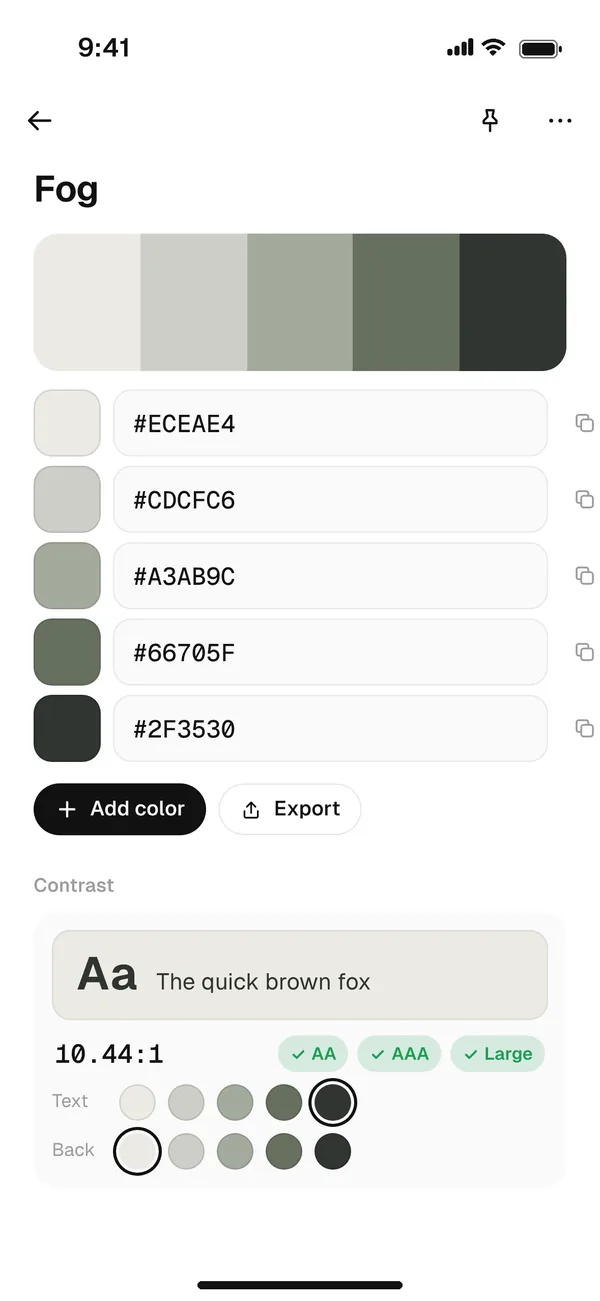
Palettes and contrast, built in.
Pull a palette from any reference, copy the hex codes, and check contrast for AA and AAA before anything goes into a file.
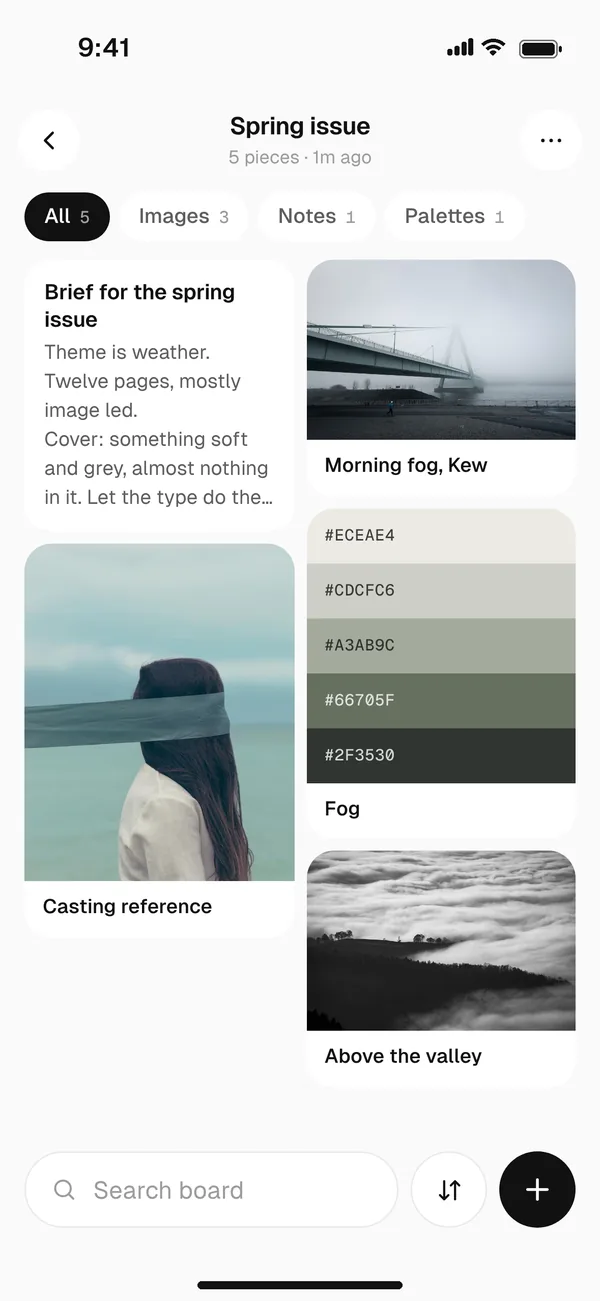
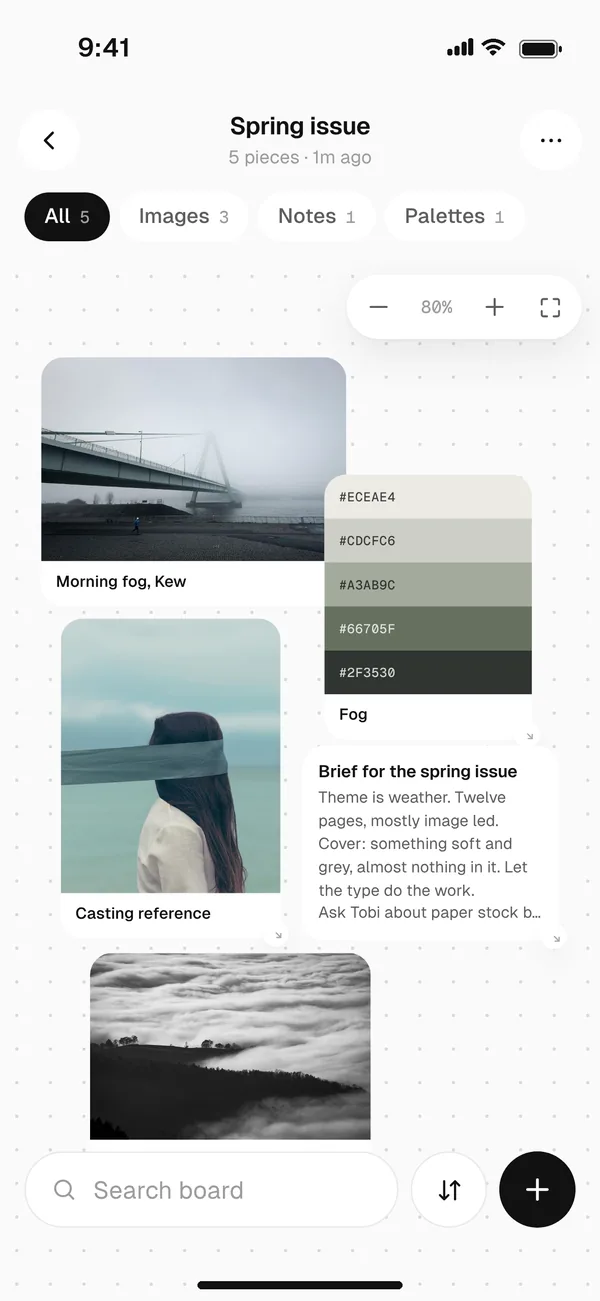
Boards that work like a wall.
Keep references as a grid, or lay them out on a canvas like a pin-up wall. Share the board with a client by link, or save it as a picture or PDF.
The rest of the kit.
Quick sketches
Draw on plain, dotted, grid or lined paper. Hold at the end of a line to straighten it.
Feedback, written out
Record a voice note after a crit and read it back later.
Read later
Save design articles and read them in a clean reader, even offline.
Questions
Is Fleeep free?
Yes. Fleeep is free to use. There are no ads, and we never sell your data.
Does Fleeep work on iPhone and Android?
Yes. Fleeep runs in your browser, so there is nothing to download from an app store. On iPhone, open fleeep.app in Safari, tap Share and choose Add to Home Screen. On Android and on computers, tap Install. It then opens like any other app.
Can I share a board with a client?
Yes. Share a board with a link, or save it as a picture or PDF to drop into a deck.
Every reference, close at hand.
Free. Works on your phone and your computer.